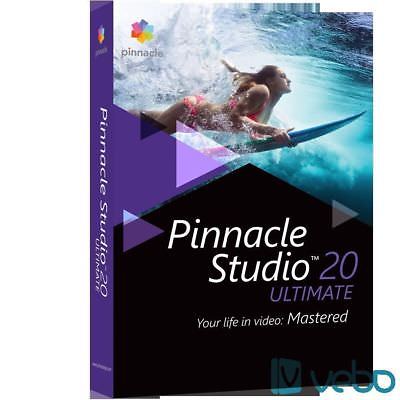
pinnacle ultimate 20 + INSTALLATION KEY - DIRECT DOWNLOAD
€
18
$
20


Favourite Auctions
To save auctions to your favourites, please login
If you don't have an account, please register
Description
Product description
Get the power, creativity and control you need to edit like a professional with Pinnacle Studio 20 Ultimate. Edit with precision on unlimited tracks in 4K, HD and 3D, and fine-tune sound with sophisticated audio tools. Create dynamic, engaging videos with pro-caliber tools, including new Stop Motion Animation, new controls for 360 Degree video and a 6 angle multi-camera editor. New Motion Tracking lets you add moving text, graphics or a mosaic blur to people or objects. With 2,000+ effects, titles and transitions, and new high-quality effects from New Blue, unlimited creativity is at your fingertips. And when you’re ready to share, enjoy 100+ new menu templates for DVD authoring. You’ve got the vision, now get the results with Pinnacle Studio 20 Ultimate.
Video editing and Live Screen Capture
Get the power, creativity and control you need to edit like a professional with Pinnacle Studio 20 Ultimate. Edit with precision on unlimited tracks in 4K, HD and 3D, and fine-tune sound with sophisticated audio tools. Create dynamic, engaging videos with pro-caliber tools, including new Stop Motion Animation, new controls for 360° video and a 6 angle multi-camera editor. New Motion Tracking lets you add moving text, graphics or a mosaic blur to people or objects. With 2,000+ effects, titles and transitions, and new high-quality effects from NewBlue, unlimited creativity is at your fingertips. And when you’re ready to share, enjoy 100+ new menu templates for DVD authoring. You’ve got the vision, now get the results with Pinnacle Studio 20 Ultimate.
What’s New?
Motion Tracking with mosaic blur
Stop Motion Animation
360° video editing
Premium effects from NewBlue
Enhanced – Multi-camera editing 2,000+ effects, transitions and templates
Unlimited-track, HD, 3D and 4K video editing
New Features
Live Screen Capture
Easily create tutorial videos or how-to demonstrations with Live Screen Capture. Capture your screen, system audio and voiceover, and then import it into the timeline to edit and refine.
Motion Tracking with Mosaic Blur
Easily track moving objects on screen and connect them to elements such as text and graphics. Add a mosaic blur to obscure a face, licence plate, logo or more. Support for multi-point motion tracking lets you track multiple points of an object for greater precision as it approaches or moves away from your lens.
NewBlue Bonus Effects, now with Video Essentials 3
Boost the creative power of your video editor with over 900 presets and more than 75 plugins from industry leader NewBlue. This bonus pack includes tools for image stabilization, creative effects, exciting translations and more.
Multi-Camera Video Editor
Work with footage from 6 cameras to create more dynamic videos. The Multi-Camera Editor lets you screen your footage, switch angles, cut and delete, and add transitions. Align clips automatically with Audio Syncing or use markers, date/time or manual syncing. Even use your multi-camera results to create a Picture-in-Picture effect.
Audio Ducking — Detects audio or narration and automatically lowers the volume of background sound ? ?
System Requirements
Internet connection required for installation, registration and updates. Registration required for product use.
Windows 10 recommended, Windows 8.x, Windows 7, 64-bit OS highly recommended.
Intel Core Duo 1.8 GHz, Core i3 or AMD Athlon 64 X2 3800+ 2.0 GHz or higher.
Intel Core i5 or i7 1.06 GHz or higher required for AVCHD and Intel Quick Sync Video support.
Intel Core i7 or AMD Athlon X4 or higher for UHD, Multi-Camera or 360 video.
2 of RAM or higher, min. 4 for Windows 64-bit, 8+ highly recommended for UHD, Multi-Camera, or 360 video.
DirectX 9 (or higher) graphics device with Pixel Shader 3.0 support like:
NVIDIA GeForce 6 series or higher (CUDA enabled required for CUDA support).
ATI X1000 series or higher.
Intel GMA X3000 series or higher.
HEVC (H.265) support requires supporting PC hardware or graphics card.
128 VGA VRAM.
Display resolution: 1024 x 768 or higher.
Windows-compatible sound card (multi-channel output required for surround preview).
8 HDD space for full installation.
Accessories:
DVD burner for creating DVD and AVCHD discs.
Input Options:
Capture from DV, HDV and Digital8 camcorders or VCRs (requires a FireWire port).
Capture from analog camcorders, 8mm, HI 8, VHS, SVHS, VHS-C, SVHS-C, or VCRs (NTSC/PAL/SECAM) (requires Dazzle video hardware – sold separately).
Import from AVCHD and other file based camcorders, digital still cameras, mobile devices and webcams.
Import Formats:
Video: MVC, AVCHD, DV, HDV, AVI, MPEG-1/-2/-4, DivX, Flash, 3GP (MPEG-4, H.263), WMV, Non-encrypted DVD titles (incl. DVD-VR/+VR), MOV (DV, MPEG-4, H.264), HEVC (H.265), DivX Plus MKV, XAVC, MXF, DVCPRO HD, XAVC S.
Audio: MP3, MPA, M4A, WAV, AMR, AC3, AAC, Vorbis, WMA.
Graphic: JPS, BMP, GIF, JPG, PCX, PSD, TGA, TIF, WMF, PNG, J2K.
Export Formats:
AVCHD, DVD (DVD-R, DVD-RW, DVD+R or DVD+RW, dual layer).
Apple iPod/iPhone/iPad/TV, Sony PSP/PS3/PS4, Nintendo Wii, Microsoft Xbox compatible formats.
DV, HDV, AVI, DivX, WMV, MPEG-1/-2/-4, Flash, 3GP, WAV, MP2, MP3, MP4, HEVC (H.265, H.264), DivX Plus MKV, JPEG, TIF, TGA, BMP, XAVC S.
Dolby Digital 5.1-channel.
Blu-ray Support:
Requires purchase of a separate plug-in from within the product.
Requires Blu-ray Disc reader and/or burner.
price rating